
Introduction
ScenicExplorer is an efficient mapping and navigation software that enables real-time interaction with all possible geographical data in OpenStreetMap format. Written in C++, it is smart, user-friendly, and ultimately, does its job right.
This application is developed as part of the design process for a rigorous software design course at my university.
Features
Auto-Completion
Searching for places can be a pain, especially when people just want to explore. Auto-completion removes the need for users to memorize every single place they intend to search up by bringing up suggestions instantly once the user starts typing into the search bar. Fast and responsive, the suggestions change dynamically as the input changes over time.
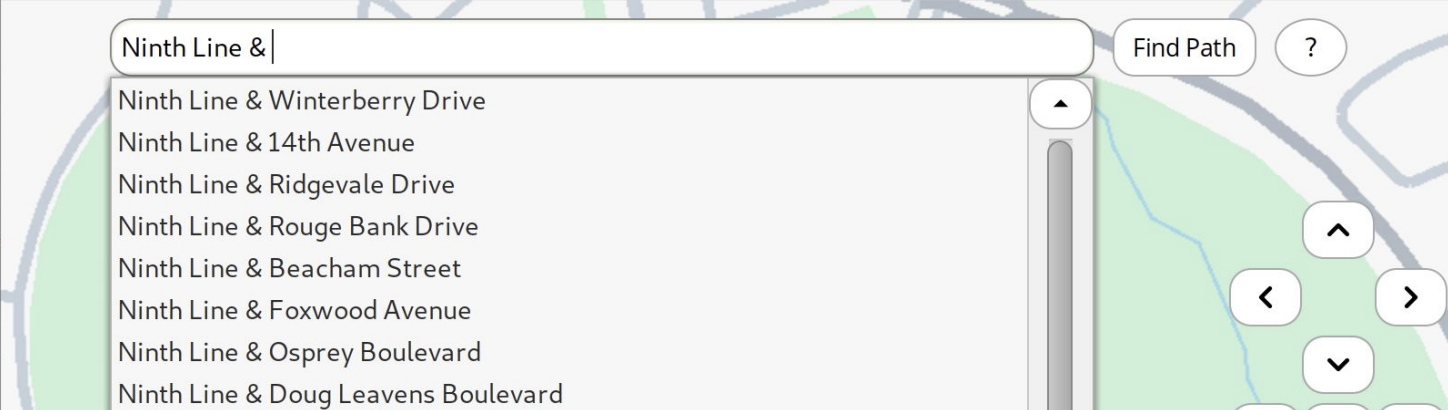
Figure 1. Auto-completion in action.
Navigation
Navigation is important in life. Industry-standard pathfinding algorithms, including a customized A* algorithm, are used to implement an efficient and accurate navigation system in ScenicExplorer. With an convenient search bar with autocompletion, the user could search for and pinpoint any location in map and setup navigation easily.
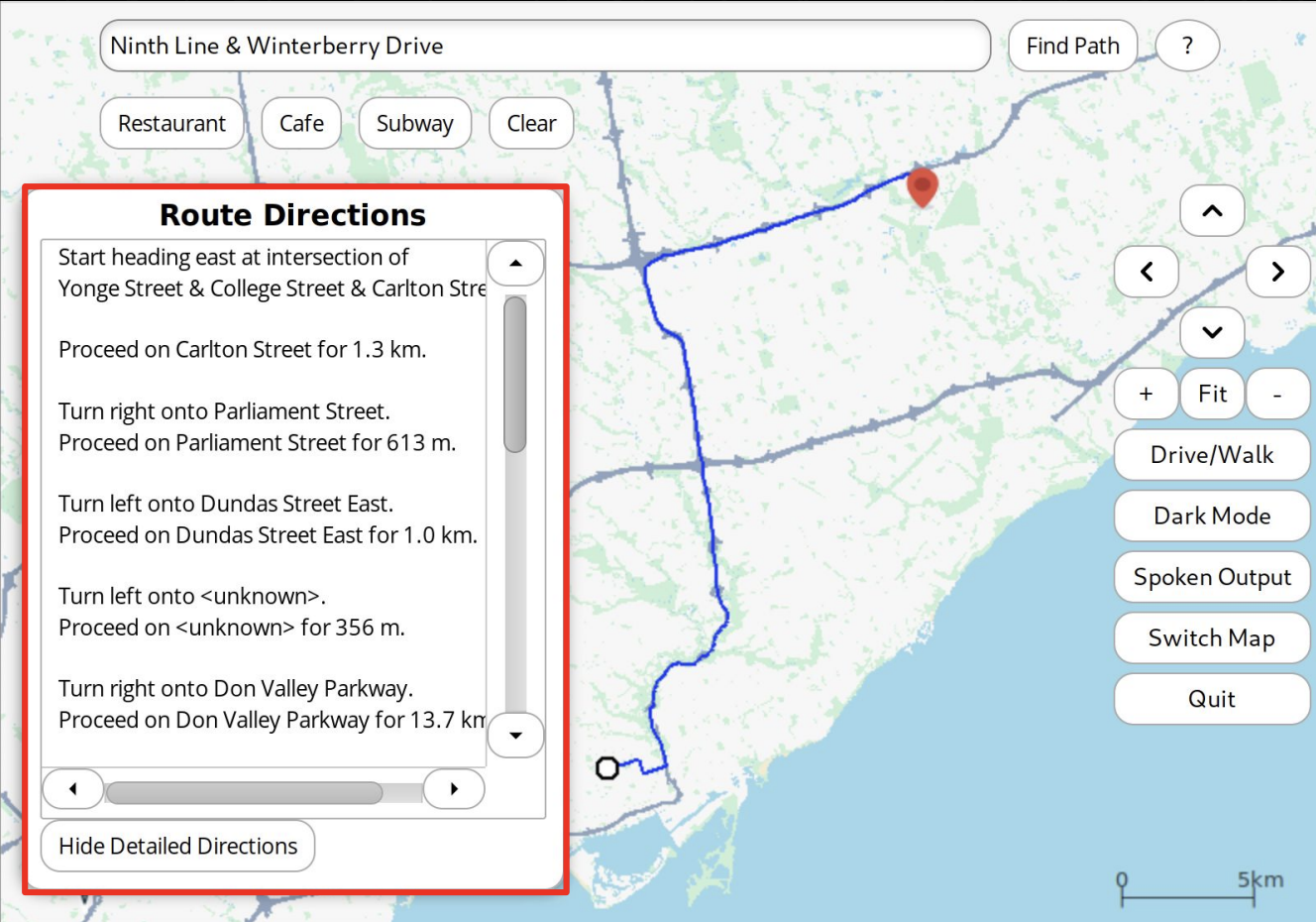
Figure 2. Navigation with route details highlighted in red.
One-Click Information Display
Conveniently situated right below the search bar, info buttons can be clicked to display important information, including subway routes, restaurants and cafes, on-demand. Selections can be cleared effortlessly by utilizing the “Clear” button.
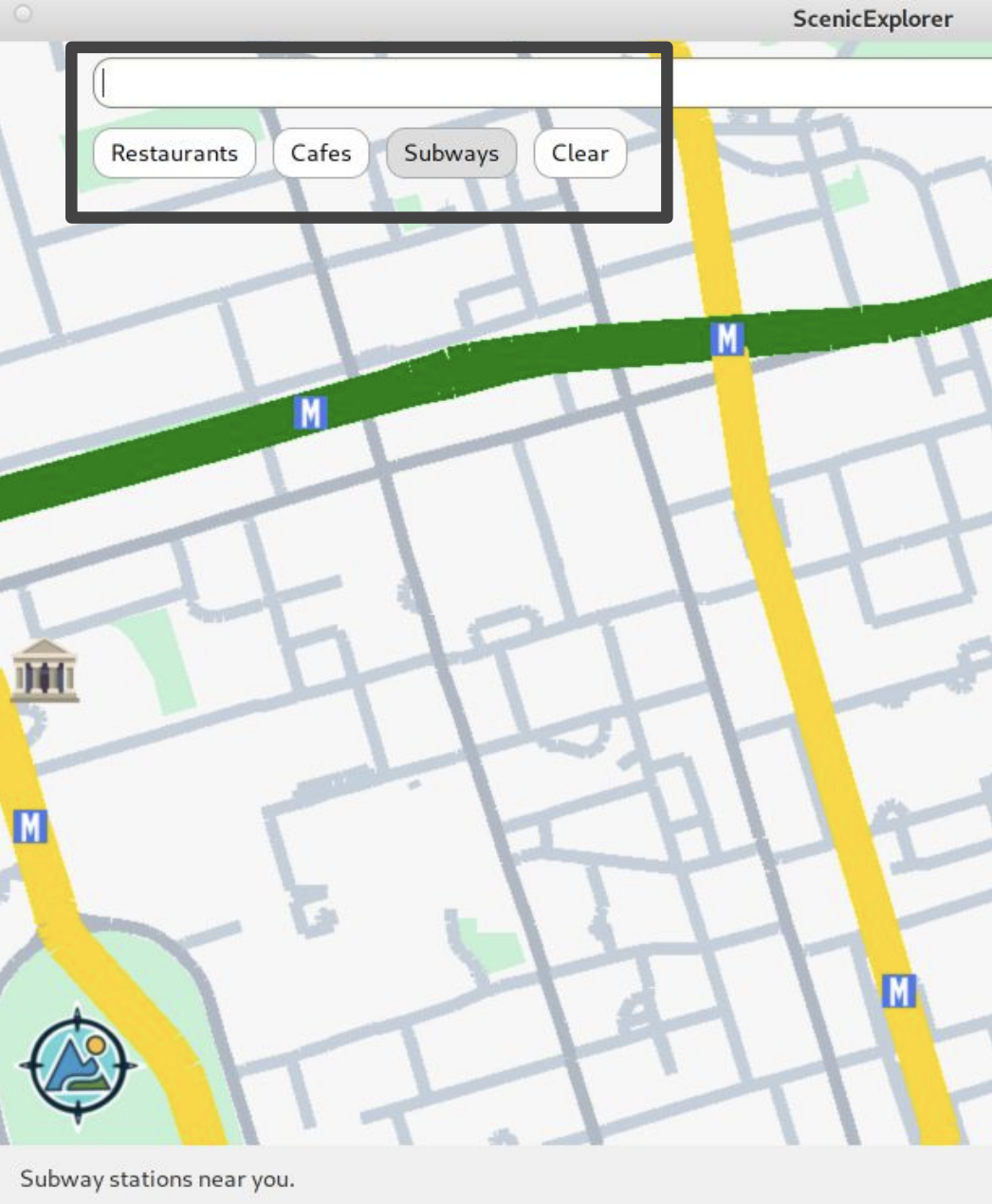
Figure 3. One-click information buttons.
Wrapping Up
This was a challenging piece of software to design and write, and I have gained a substantial amount of skills and experience going through the development process. There are a lot more to ScenicExplorer than what have been described above. Feel free to contact me if you’d like to learn more.
Source Code
Due to university policy, the source code of ScenicExplorer generally needs to remain private. However, if source code is required for purposes such as employment screening, please contact me.